Product / Asset Management
Know what you own and where it stands.
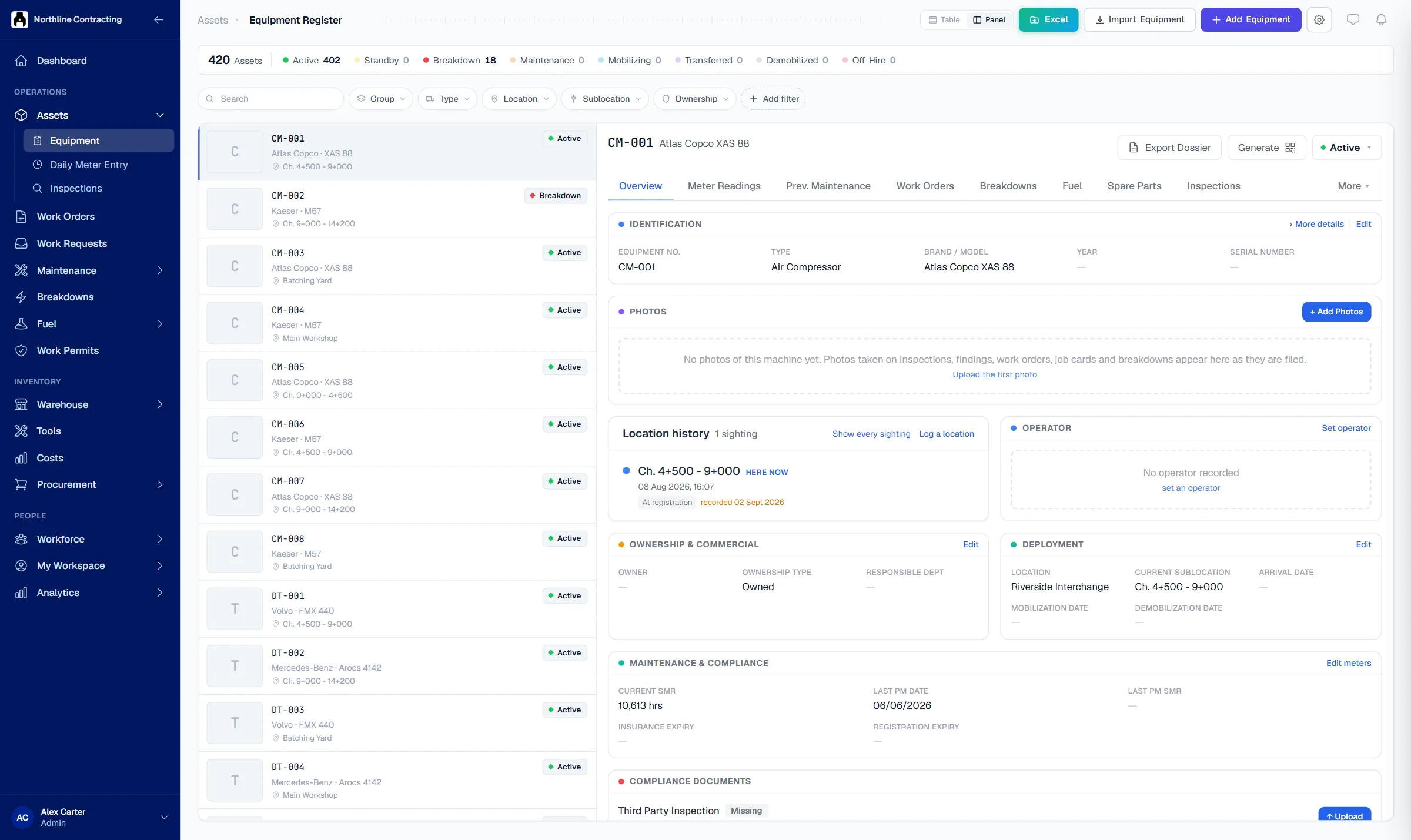
Solmex keeps every asset in one register: its location, meters, photos, documents and every job done on it. Import your list from Excel and label each asset with a QR code.
Try the Business plan free for 14 days. No card needed.
See it in 60 seconds
Monday morning, the boss asks how many compressors there are and when they were last serviced. Here is how Rosa answers in five minutes.
Key points
- One record per asset: location, meters, photos, documents and every job done on it, in one place.
- Import your whole fleet from Excel in one step; every row is checked first, and nothing imports until the file is clean.
- Every asset gets a QR code that opens a safe summary with no login, and reports a problem straight from the machine.
The problem
Without a register, every question takes a phone call.
Nobody knows the full list
The asset list lives in three spreadsheets, each out of date. Counting what you own, and where it is, takes a week.
History leaves with the technician
When a pump fails again, nobody can say what was done last time, which parts were fitted or who did the work.
Manuals and certificates go missing
The manual for Boiler B-2 is in someone's email. The insurance certificate expired last month and nobody noticed.
How it works
A complete record for each asset, from day one.
Bring your whole list in at once
Fill in the Excel template and import hundreds of assets in one step. Solmex checks every row first, names each problem, and imports nothing until the file is clean.
- Excel import with a checked preview
- Your own types, groups and departments
- Hour meter, odometer or no meter

Every job, reading and photo on one page
Each asset has its own page with meter readings, services, work orders, breakdowns, inspections, parts used and costs. Photos and documents are filed on it, so the history stays when people leave.
- Meter readings with a full history
- Manuals, certificates and photos attached
- Where the asset was last seen

A QR code on every asset
Print a QR label for each asset. Scanning it shows a safe summary card with no login, lets anyone report a problem, and takes your own staff straight to the full record.
- Print labels from any asset
- Public card shows only safe fields
- Printable asset record as PDF

Questions
Frequently asked questions
What is an asset register in a CMMS?
Can I import my existing equipment list from Excel?
Does every asset need an hour meter?
What is the QR code on each asset for?
Which plan includes asset management?
Bring your asset list into Solmex today.
Try the Business plan free for 14 days, with no card. After that, one user and up to 25 assets stay free for as long as you like.