Industries / Warehousing and Logistics
Warehouse maintenance software
Keep every dock open and every forklift safe.
Solmex services forklifts by run hours, records daily truck checks and racking inspections with a name and a time, and gets a stopped dock or conveyor working again faster.
Try the Business plan free for 14 days. No card needed.
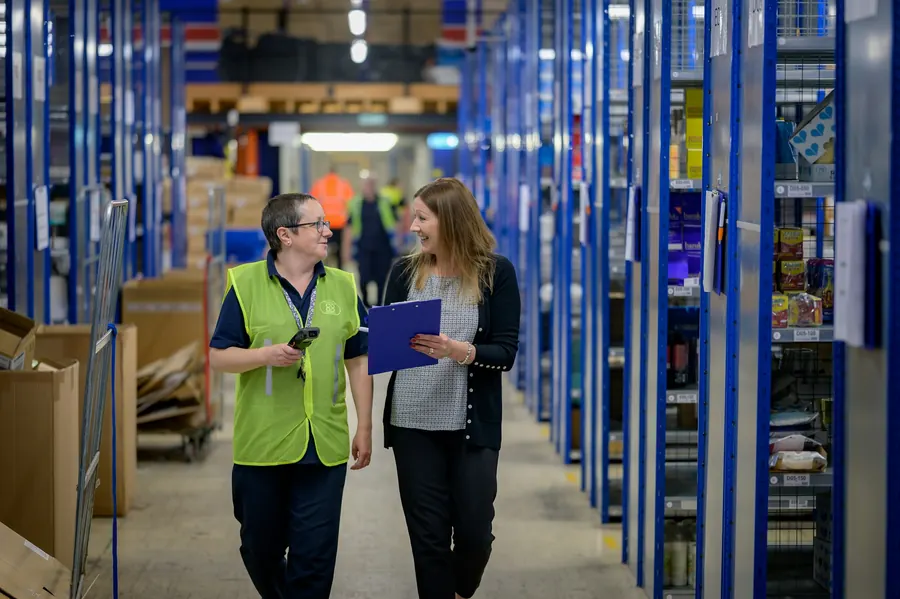
What is at stake
When a dock or a sorter stops, orders stop with it.
How often US workplace law requires every forklift to be examined before use
Source: OSHA, 29 CFR 1910.178(q)(7)More downtime at the plants that rely most on reactive repair than at those that rely on it least
Source: NIST, Economics of Manufacturing Machinery Maintenance (2020)Saved by preventive maintenance compared with running equipment until it fails
Source: US Department of Energy, O&M Best Practices GuideSound familiar?
Missed checks turn into missed shipments.
A dock leveller fails at peak
The leveller on door 7 jams during the evening wave. Trucks queue in the yard, and the fault was reported twice last month by word of mouth.
Truck checks exist only on paper
Drivers tick a daily sheet that nobody reads. When an inspector asks who checked a forklift's brakes last Tuesday, the sheet is missing.
Racking damage goes unrecorded
A forklift clips an upright on the night shift. Nobody reports it, and the damaged bay stays loaded until someone notices the bend.
How Solmex fixes it
One system for the site, from the yard to the racking.
Service forklifts before they fail
Set plans for forklifts, reach trucks, dock levellers and conveyors by run hours or dates. Solmex shows what is due today, so each service can be planned between shifts.
- Plans by hour meter or by date
- Hired trucks tracked beside your own
- Steps and parts listed on every job
Checks and racking inspections on record
Drivers run the pre-shift check from a phone at the truck. Racking inspections follow the same checklist, with photos. A failed item opens a job, and the record is kept per asset.
- Daily truck checks with a name
- Racking inspections with photos
- A failed check becomes a tracked job
Report a fault before it grows
Anyone on the floor scans the QR label on a door, a truck or a racking bay and reports the problem with a photo. Maintenance sees it at once and decides what happens next.
- Report in seconds by QR code
- No account needed to report
- Requests become work orders or breakdowns
Your numbers
What is unplanned downtime costing you?
Move the sliders to match your operation. The starting values are typical for the sector, not a promise.
An estimate from your own inputs. The 30% is set below published results on purpose: NIST found 44% less downtime at plants that invested more in preventive and predictive maintenance.
No risk to try
Start small. Keep your data. Leave any time.
Free to start, free to stay
Every account gets 14 days of the Business plan. After that, one user and up to 25 assets stay free with no time limit.
Anyone can report a problem
Operators, cleaners and tenants report faults by scanning a QR code. People who only report are free on every plan.
Your data stays yours
Export every record to Excel whenever you like, or take a full export of the whole account. Nothing is locked in.
Private and controlled
Your company's records are kept apart from every other customer's, every change is logged, and you decide who can see and do what.
Questions
Frequently asked questions
Can drivers do the daily truck check on a phone?
Does Solmex help with racking and equipment inspections?
We run several sites. Can we see them all?
How long does it take to get started?



Put your first site on Solmex this week.
Try the Business plan free for 14 days, with no card. After that, one user and up to 25 assets stay free for as long as you like.