Industries / Automotive
Maintenance software for automotive plants
Keep the line at takt, shift after shift.
Solmex plans the servicing of robots, press lines, paint shop equipment and conveyors, keeps daily operator checks on record, and gets a stopped station back to production faster.
Try the Business plan free for 14 days. No card needed.
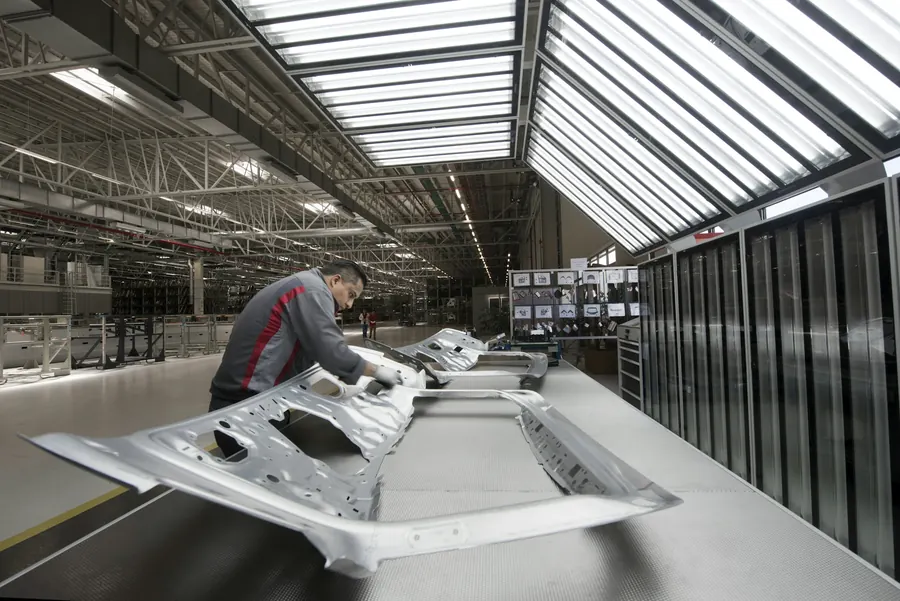
What is at stake
When one station stops, the whole line stops with it.
Cost of one hour of downtime at a large automotive plant, by Siemens' estimate
Source: Siemens, The True Cost of Downtime 2024Yearly cost of a production line standing idle at a large automotive plant
Source: Siemens, The True Cost of Downtime 2024More downtime at the plants that rely most on reactive repair than at those that rely on it least
Source: NIST, Economics of Manufacturing Machinery Maintenance (2020)Sound familiar?
Every unplanned stop costs cars off the line.
One robot stops the whole line
A welding robot faults on a dress pack cable. Every station behind it starves, and the shift misses its count before anyone finds the cause.
Daily checks happen, maybe
Operators are meant to clean, lubricate and check their stations every shift. The sheets come back blank or ticked in a hurry at the end of the day.
Customer audits need proof
An OEM auditor asks for the maintenance history of a press line. The answer is spread across spreadsheets, logbooks and one engineer's laptop.
How Solmex fixes it
One system for every station, from body shop to final assembly.
Service robots and presses on schedule
Set a plan once for robots, press lines, paint booths, ovens and conveyors. Solmex schedules each service by run hours or the calendar and lists the tasks and parts for every interval.
- Plans by run hours or by date
- Due work visible before the weekend shutdown
- Tasks and parts listed on every job
Daily operator checks that really happen
Cleaning, lubrication and short checks are logged per station by the team that did them. Solmex shows which stations are up to date and which have been missed.
- Daily and weekly jobs per station
- Missed jobs shown as overdue
- Logged from a phone at the station
Get a stopped station running again
Any operator reports a fault from the QR code on the station. Maintenance sees it with a photo, downtime runs from the moment it was reported, and failure codes show which faults keep returning.
- Report a fault in seconds by QR
- Downtime counted from the report
- Repeat faults visible by failure code
Your numbers
What is unplanned downtime costing you?
Move the sliders to match your operation. The starting values are typical for the sector, not a promise.
An estimate from your own inputs. The 30% is set below published results on purpose: NIST found 44% less downtime at plants that invested more in preventive and predictive maintenance.
No risk to try
Start small. Keep your data. Leave any time.
Free to start, free to stay
Every account gets 14 days of the Business plan. After that, one user and up to 25 assets stay free with no time limit.
Anyone can report a problem
Operators, cleaners and tenants report faults by scanning a QR code. People who only report are free on every plan.
Your data stays yours
Export every record to Excel whenever you like, or take a full export of the whole account. Nothing is locked in.
Private and controlled
Your company's records are kept apart from every other customer's, every change is logged, and you decide who can see and do what.
Questions
Frequently asked questions
Does Solmex help with customer and IATF 16949 audits?
Can operators log their own daily checks?
Does Solmex connect to our robots or PLCs?
How long does it take to get started?



Start with one line this week and see the difference.
Try the Business plan free for 14 days, with no card. After that, one user and up to 25 assets stay free for as long as you like.