Product / Spare Parts
The right part on the shelf, when needed.
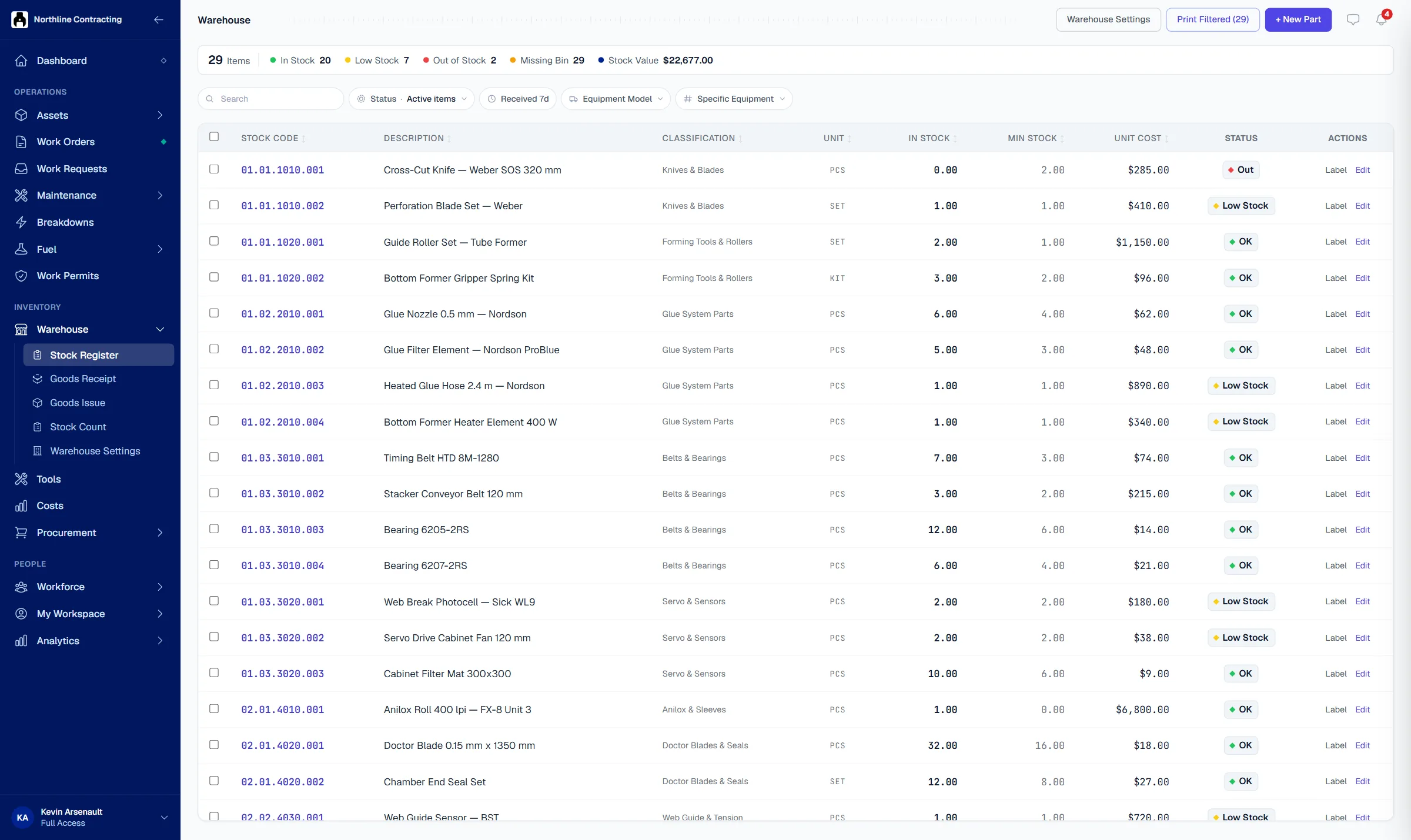
Solmex keeps your spare parts by store, rack and bin, records every receipt and issue, warns before stock runs out, and charges each part to the asset and job that used it.
Try the Business plan free for 14 days. No card needed.

Key points
- Stock on hand is derived from recorded movements, never typed directly; it cannot go below zero.
- Parts are issued from the oldest stock first (FIFO) and post their real cost to the asset and job that used them.
- Every part and bin carries a QR label, scannable from a phone to find what is on the shelf.
The problem
Missing parts keep machines waiting.
The part is not there
A technician walks to the store for a filter the system says is in stock. The shelf is empty, and the machine waits days for an urgent order.
Nobody can find it
Only one storeman knows which shelf holds the seal kits. When he is on leave, people search the whole store or order a part you already have.
Parts cost is a guess
Parts leave the store on a signature slip. At month end nobody can say which asset used them, so its repair cost is always understated.
How it works
Every part counted, located and charged.
Stock you can trust
Every receipt, issue, return, transfer and adjustment is recorded as a movement, and the quantity on hand comes from those movements. Stock cannot go below zero, and a count difference is posted with a reason.
- Goods receipt with many lines
- Minimum levels flag low stock
- Stock counts with reasons recorded

Find any part by scanning
Set up your stores as a tree of aisles, racks and bins, and give each part a home location. Print QR labels for bins and parts, and scan one from a phone to see what is there.
- Several stores, each with its bins
- QR labels for bins and parts
- Transfers between stores recorded

Parts cost lands on the asset
Issue parts against an asset, a work order or a project. Solmex takes them from the oldest stock first and posts what they actually cost to that asset's costs, with nothing typed twice.
- First in, first out costing
- Parts used shown on each asset
- Parts register exported to Excel

Questions
Frequently asked questions
How is stock tracked?
Does issuing a part charge it to the asset?
What happens when a stock count disagrees with the system?
Do bins and shelves have labels?
Which plan includes spare parts?
Load your parts list and see what is really on the shelf.
Try the Business plan free for 14 days, with no card. After that, one user and up to 25 assets stay free for as long as you like.