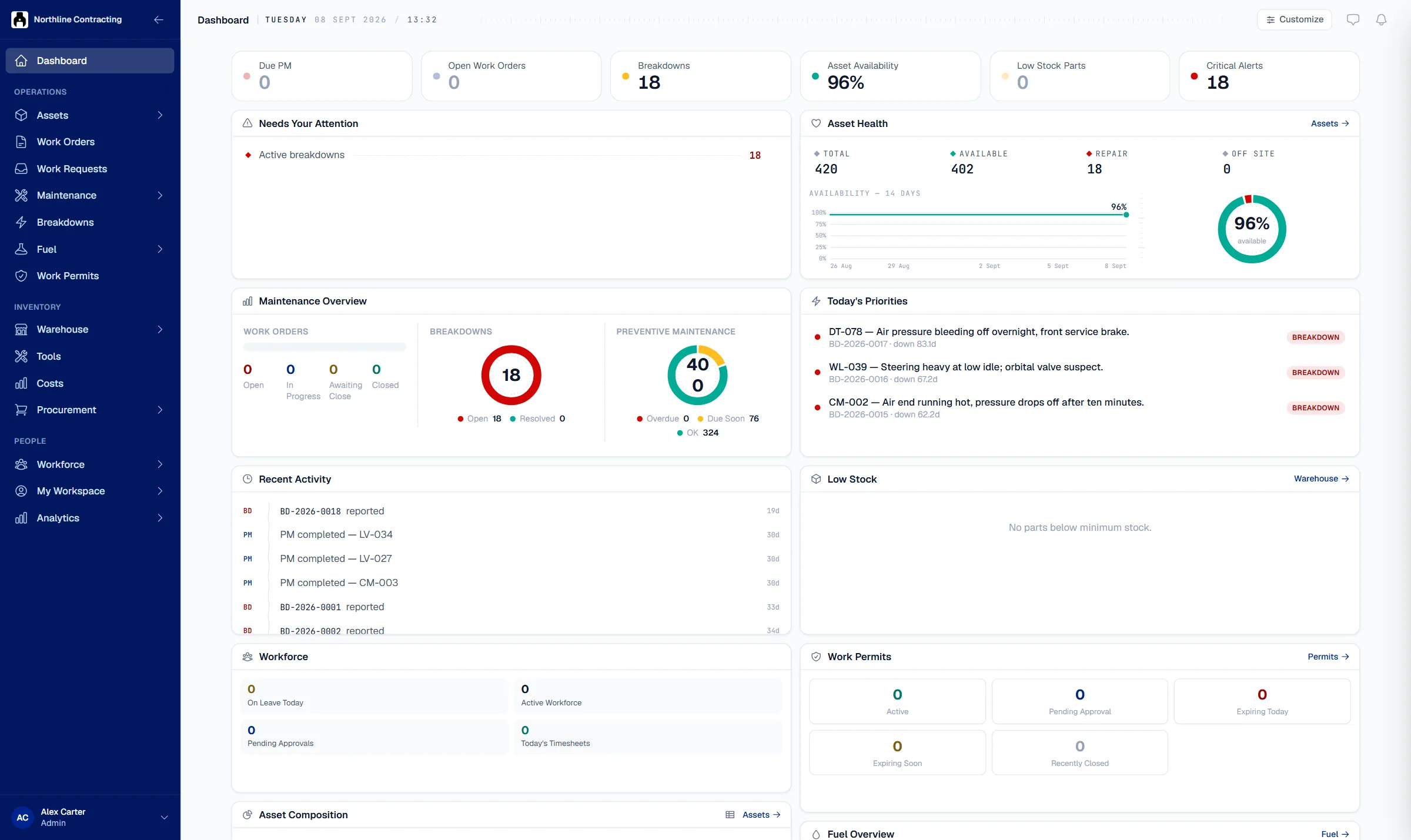
A maintenance system is only as useful as what comes out of it. Solmex gives each user a dashboard, mails management the reports they read, puts every register into Excel with the columns you pick, and lets you take all of your records out at any time.
Reports & data export
Choose a report, a rhythm, a time zone and the people who should get it. Each run covers a whole calendar period, so consecutive reports never overlap and never leave a gap. The documents are typeset PDFs designed to be printed and read across a table, not screenshots of a page.
A personal dashboard of widgets for availability, equipment mix, fuel, open work and overdue maintenance, plus analysis pages for breakdowns, service compliance, fuel and meter trends. Every analysis shares one set of filters, held in the link, so a view can be sent to a colleague as it stands.
The breakdown status report, the fuel management report, the equipment dossier, inspection reports, work order sheets, job cards, permits and approved purchase requests are all typeset PDFs with your logo. Every register exports to Excel in one consistent design, and you choose and order the columns before the file is written.
Data Export packs your records into a zip of CSV files with a manifest: 58 datasets across 17 categories, on demand or on a schedule. Each person can export only what their permissions already let them see, and on-demand export stays available even if a subscription lapses, because your records are not something to be held.
Three today: the breakdown status report, the daily inspection report and the overdue routine maintenance report. Each is scheduled daily, weekly or monthly in your own time zone and mailed as a PDF to users of your account. A scheduled data export covers everything else.
Yes, at any time and without asking us. Data Export produces a zip of CSV files covering equipment, meters, maintenance, work orders, breakdowns, inspections, fuel, warehouse, procurement, workforce and costs. The files open correctly in Excel, including Turkish characters. Passwords and access tokens are never included.
A printable PDF record of one machine: identity, meters, service status, work orders, breakdowns, inspections, fuel, parts and costs, in a three-page summary or a full edition. It is what you hand to an auditor, an insurer or a buyer. Sections the person printing it may not see are left out and named, never silently dropped.
See a report scheduled, a register exported with chosen columns and a full data export run in a 30-minute walkthrough.
NO COMMITMENT · YOUR DATA STAYS YOURS