Product / Preventive Maintenance
Service every asset before it fails.
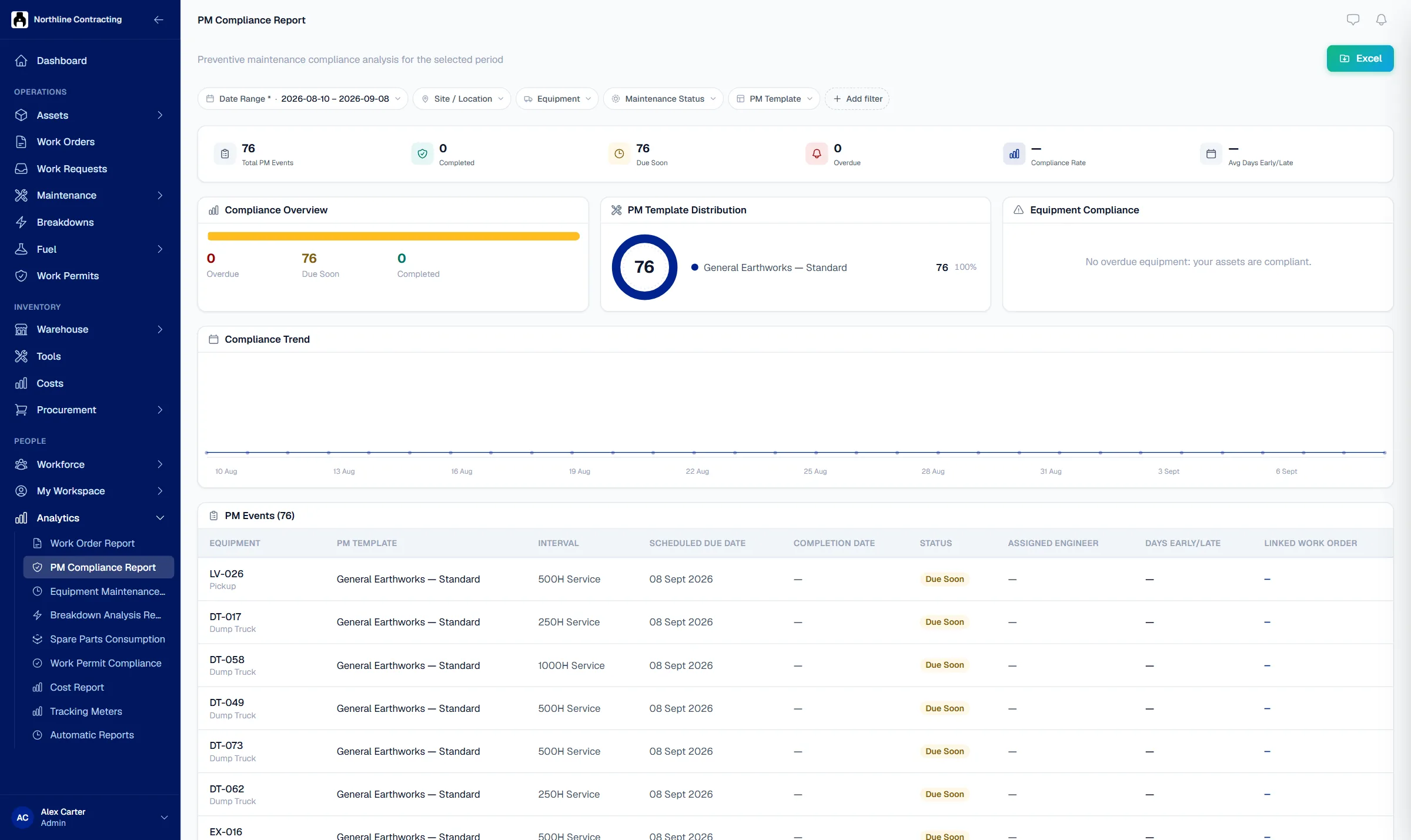
Set a service plan once, by run hours, kilometres or the calendar. Solmex shows what is due, due soon and overdue, with the tasks and parts for each service.
Try the Business plan free for 14 days. No card needed.

Key points
- Services follow the manufacturer's fixed milestone grid, not a countdown from the last service; a late service never shifts the next one.
- The next due date is projected from each asset's own daily usage, not a flat calendar guess.
- A completed service issues its parts from stock, saves the meter reading and generates a signed PDF automatically.
The problem
Services slip when the plan lives in a notebook.
Services are missed
The 500 hour service on a loader was due two weeks ago. Nobody checked the hour meter, and the machine failed on a busy shift.
Nobody knows what is due
Every morning someone works out which assets need a service by reading meters and old job sheets. It takes hours and still misses some.
Parts are not ready
The technician opens the machine and the filters for that interval are not in stock. The service waits another week.
How it works
A service plan that follows each asset's own meter.
Build a template once, reuse it
A template holds the service intervals, for example 250, 500 and 1,000 hours, each with its own task list and parts. Assign it to every asset of that kind in a few clicks.
- Run hours, kilometres or calendar
- Tasks and parts for each interval
- Last services imported from Excel

See what is due before it is late
Services follow the manufacturer's schedule, so a late service never shifts the next one. Solmex projects a due date from each asset's own daily usage and lists overdue services first.
- Due, due soon and overdue
- Projected date from recent usage
- Hours and kilometres judged separately

Log the service and close the loop
The technician ticks the checklist, records parts and fluids, and signs. Parts come out of stock, the meter reading is saved, and a completion report is generated as a PDF.
- Checklist, parts and fluids per service
- Parts issued from stock automatically
- PDF report for every completed service

Questions
Frequently asked questions
How does Solmex decide a service is due?
Can services be scheduled on kilometres or on dates instead of hours?
What about assets serviced before we started using Solmex?
Does a completed service produce a document?
Which plan includes preventive maintenance?
Set up your first service plan this week.
Try the Business plan free for 14 days, with no card. After that, one user and up to 25 assets stay free for as long as you like.